
Why Bing Webmaster Tools Still Deserves Your Attention
Most SEO strategies revolve entirely around Google, which means Bing Webmaster Tools ends up ignored on most sites. That's a mistake. Bing still powers a meaningful share of desktop search, feeds results into Yahoo, and increasingly influences how AI-powered assistants like Copilot surface web content. If you've optimized for Google but never touched Bing Webmaster Tools, you're likely leaving traffic on the table for very little extra effort.
Pairing Bing Webmaster Tools with Moz's SEO metrics gives you a fuller picture: Bing tells you how your site is actually crawled and indexed, while Moz tells you how your domain compares on authority and backlinks. Used together, they help you optimize for a search engine that gets less attention but converts just as well. This guide walks through the setup, the metrics that matter, and how to fold Bing into a workflow you're likely already running through our free SEO audit tool.

Setting Up Bing Webmaster Tools Correctly
Before any optimization work matters, the basics need to be in place.
- Verify your site using the XML file, meta tag, or CNAME method. If you already verified in Google Search Console, Bing Webmaster Tools can often import that verification directly, which saves a step.
- Submit your XML sitemap under the Sitemaps section so Bing can discover your full page inventory rather than relying only on crawling.
- Connect Google Search Console data using Bing's import tool, which pulls in your existing performance data and speeds up initial reporting.
- Check the URL Inspection tool to confirm your key pages are actually indexed, not just submitted.
This setup mirrors a lot of what we cover in our guide on running a free SEO score check, since sitemap submission and crawlability checks matter the same way across every search engine, not just Google.
Fixing Crawl and Indexing Issues in Bing
Bing's crawler behaves differently than Googlebot, and it's often less forgiving of certain technical issues.
- Review the Crawl Control settings. Bing lets you throttle crawl rate, which matters if your server has struggled with aggressive crawling in the past.
- Check the Site Explorer report for pages Bing has indexed versus pages you've submitted. A large gap usually points to crawlability problems worth investigating.
- Fix duplicate content flags. Bing's algorithm has historically been stricter about duplicate or thin content than Google, so pages that squeak by on Google can still get flagged here.
- Confirm mobile-friendliness. Bing has its own mobile usability report separate from Google's, and it's worth checking even if your site already passes Google's mobile tests.
If you're working through broken pages or crawl errors here, the same principles from our guide on finding and fixing broken links apply directly, since a 404 is a 404 regardless of which search engine hits it.
Using Moz Alongside Bing Webmaster Tools
Bing Webmaster Tools shows you how Bing sees your site, but it doesn't give you competitive context. That's where Moz fills the gap.
- Check your Domain Authority (DA) in Moz Pro or the free Moz Bar extension to understand your overall competitive standing, which correlates loosely with how both Bing and Google trust your site.
- Run Moz's Link Explorer to see your backlink profile, then cross-reference which of those referring domains are actually being crawled and indexed by Bing.
- Use Moz's Keyword Explorer to find keyword opportunities, then check the same terms in Bing Webmaster Tools' Search Performance report to see how your existing pages are already ranking there.
- Track Spam Score in Moz, since a high spam score can hurt trust signals across every search engine, not just the one you're actively optimizing for.
Moz's own documentation on Domain Authority explains how the metric is calculated and why it's meant for comparative use rather than as an absolute ranking factor, which is worth understanding before you lean on it too heavily.
Backlinks: Where Bing and Moz Overlap Most
Backlink data is where combining these two tools pays off the most directly.
- Pull your top referring domains from Moz's Link Explorer and check whether those same domains appear as recognized inbound links inside Bing Webmaster Tools' Inbound Links report
- Prioritize outreach and link building toward domains with strong Moz authority scores, since those links tend to carry more weight with Bing's ranking algorithm as well
- Avoid low-quality directory links that inflate raw backlink counts without improving authority, since Bing's algorithm has historically weighted link quality over volume
This connects closely with the white hat backlink approaches covered in our guide on increasing your site's SEO, since the same outreach and content strategies that earn Google backlinks tend to earn Bing visibility too.
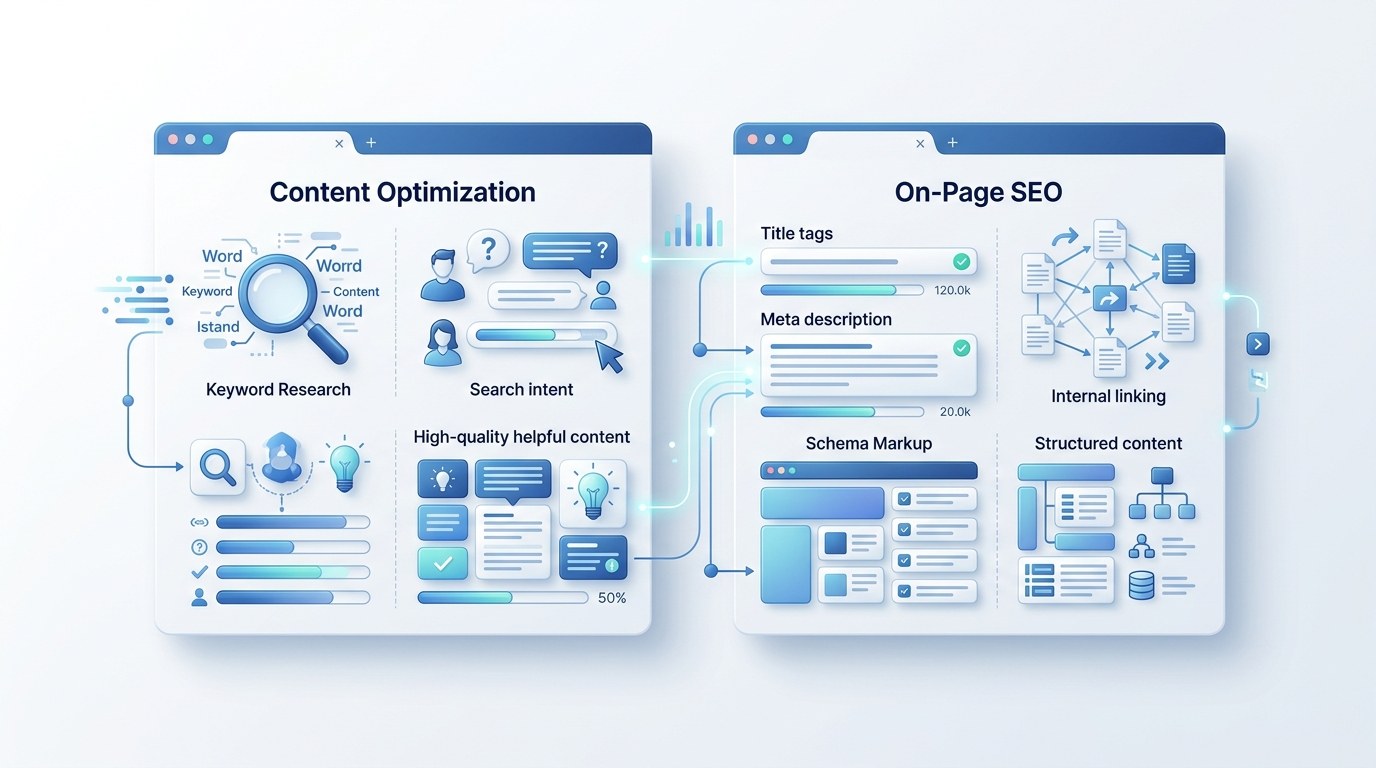
Keyword and Content Optimization for Bing
Bing's algorithm places somewhat more weight on exact keyword matching and social signals than Google does, so a few adjustments help.
- Include your primary keyword in the title tag and H1 in close to its exact form, since Bing still rewards precise matching more than Google's more semantic approach
- Keep meta descriptions accurate and compelling, since Bing tends to use them as-written more often than Google, which frequently rewrites snippets
- Build out comprehensive, well-structured content, since Bing's algorithm has publicly stated a preference for depth and originality similar to Google's helpful content guidance
- Encourage social shares where relevant, since Bing has historically factored social signals into ranking more visibly than Google
A Simple Monthly Bing + Moz Routine
- Week 1: Check Bing Webmaster Tools' Search Performance report and note any pages losing impressions
- Week 2: Cross-check top-performing keywords against Moz's Keyword Explorer for related opportunities
- Week 3: Review new backlinks in Moz's Link Explorer and confirm they're indexed in Bing's Inbound Links report
- Week 4: Fix any crawl errors or indexing gaps flagged in Bing Webmaster Tools before the cycle repeats
Running this alongside your regular technical SEO audit routine keeps Bing from becoming an afterthought that only gets checked once a year.
Frequently Asked Questions
Is Bing Webmaster Tools worth the extra setup time?
Generally yes, especially since verification often takes minutes if you've already set up Google Search Console. The ongoing maintenance is minimal once sitemaps and crawl settings are in place.
Does Moz's Domain Authority score directly affect Bing rankings?
No, DA is Moz's own comparative metric and isn't used by Bing or Google directly. It's useful as a proxy for overall site authority and competitive benchmarking, not as a ranking input.
How different are Bing and Google rankings in practice?
Overlap is significant for well-optimized sites, but Bing tends to reward exact keyword matching and quality backlinks somewhat more heavily, which is why cross-checking with Moz data helps close gaps Google alone might not reveal.
Can I use the free version of Moz for this workflow?
The free Moz tools, including limited Link Explorer and Keyword Explorer access, cover the basics described here. Full historical backlink data and unlimited lookups require a paid Moz Pro subscription.
Final Thoughts
Optimizing for Bing Webmaster Tools isn't about replacing your Google-first SEO strategy, it's about closing gaps that a Google-only approach leaves open. Pairing Bing's own crawl and indexing data with Moz's authority and backlink metrics gives you a clearer, more complete picture of how search engines beyond Google actually see your site. The setup takes an afternoon, and the monthly maintenance is light once it's running.
Want to see where your site's technical fundamentals stand across the board? Run a free SEO audit and get a prioritized list of what to fix first.